Time to update my “current tech” opinions/recommendations.
For the record, day to day, I use exclusively Apple products with the exception of my Remarkable 2 (more on that later). I have an iPhone 15 Pro Max, an iPad Pro 2023, an Apple Watch (which I never use, I don’t see the point); Apple HomePods in stereo in my living room; Apple TV for my television streaming; Apple Airpods 2 which I also don’t use (they hurt my ears no matter what tips I use), an iMac for my office mostly used for FaceTime, and a MacBook Pro 14 M3 Max for real work.
But today I’m writing about writing. I love to write. I write for work, I write for fun. I write in a journal, I write for reviews, I have three books one-tenth finished on my MBP. I have ten finished just sitting in a file.
My most indispensable tool day to day is my planner/journal. This always used to be kept on paper, even when BlackBerry took over (oof, I would pay anything for a working BlackBerry today) and eventually we all started calendaring and keeping all our notes in our iPhones or smartphones. Eventually, I switched to doing all my planning and journaling on my iPad when they introduced the Apple Pencil and we could write on it instead of typing, and eventually I came across Notability and everything else was history — until I couldn’t stand writing on a glass screen anymore. So it was goodbye to iPad and back to the paper planner. Until Remarkable 2 came along.
MY PAPER PLANNER SETUP
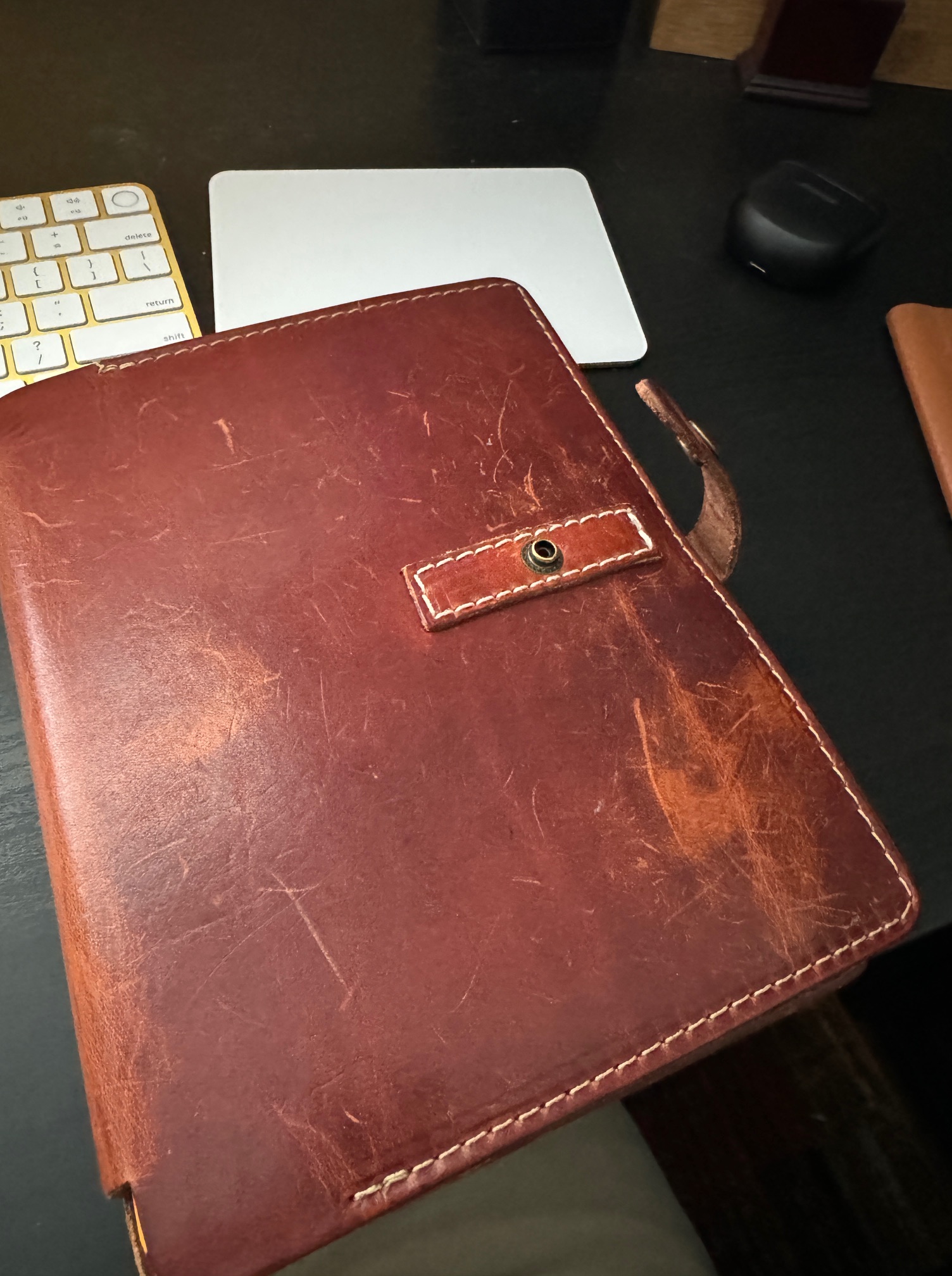
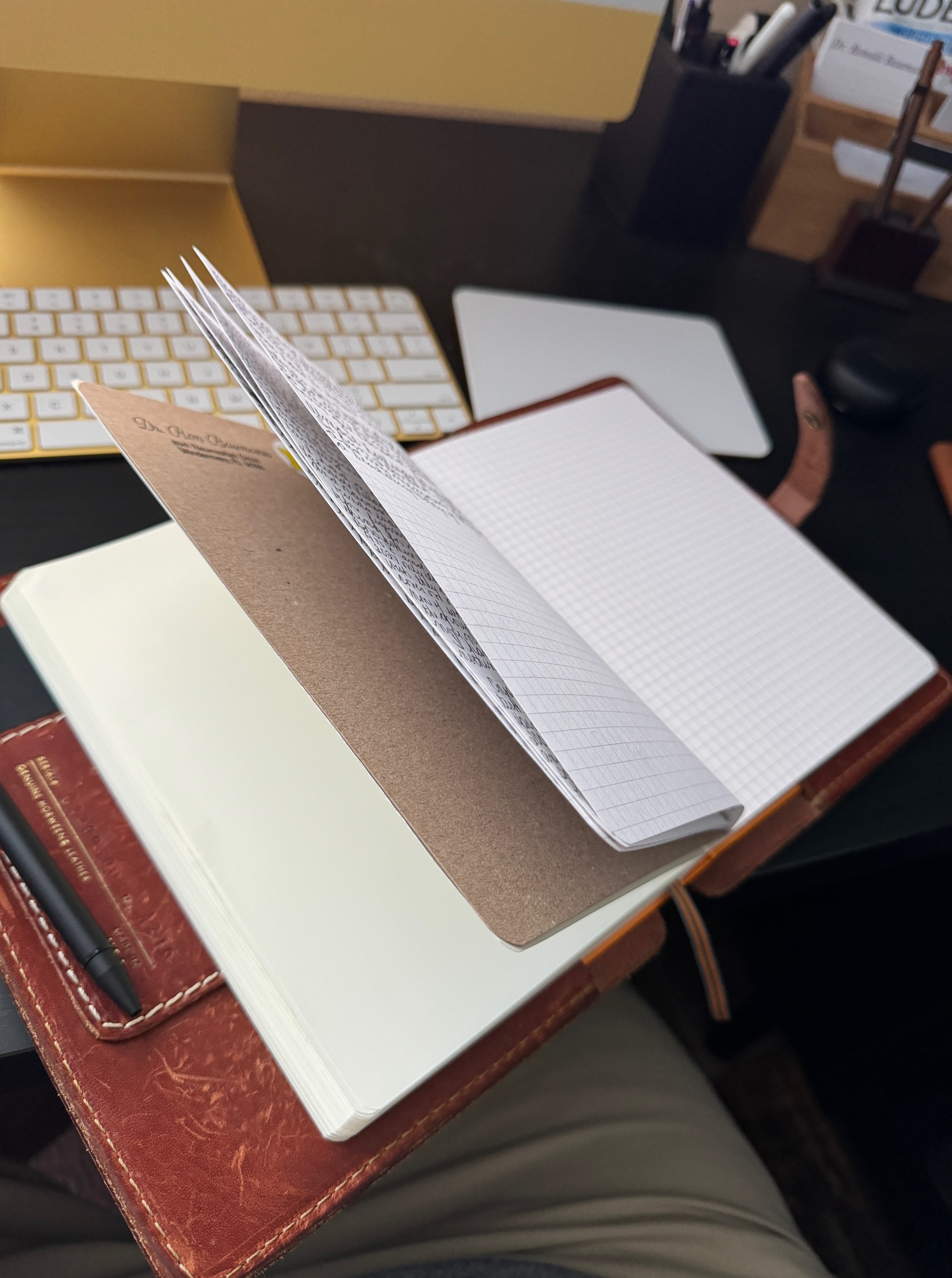
I have a dozen planner covers, my current favorite is a Coronado Leather 216 and in it I use the Leuchtturm1917 Agenda planner A5 size, and an Ox & Pine cahier gridded journal in the back. I love the Coronado leather and its patina now looks like Indiana Jones has used it for years. The 24-page cahier is just the right size at the back. I love the Leuchtturm1917 because it combines an appointment style agenda which I prefer, with lots of room to write and good quality paper (Moleskine has no agenda style planner and the paper is so thin it is too cheap for my use over 18 months). As soon as the 2025 planner arrives in stock, I’ll get a copy and put it on the shelf next to my desk to keep track of next years activities already. I have a collection of 28 Levenger TrueWriter pens which I adore, and a dozen other favorite ballpoints.
I use a pencil exclusively in my planner, so for that, I have a duel-function pen/pencil from Lami inside my Coronado. I had to purchase a stick-on pen loop holder since the Coronado comes without and quite frankly, I need a pen every hour of the day.

ALONG COMES REMARKABLE 2
If you have yet to discover it, the Remarkable 2 arrived from Europe in 2020 (after an initial tentative trial with eInk with the original Remarkable which few people used and even fewer still have, though it is still available). eInk is exactly what it sounds like. It does nothing but allow you to write (and read) on a non-backlit old-school tablet that you can create notebooks, sheets, mark up PDFs, and that is it. While it syncs to a desktop (and if you pay, some programs like Dropbox) it does nothing else. There is no clock, there is no internet, email. Messages, movies, photos, or anything else. (In short, it is absolutely nothing like an iPad or your Galaxy Tab). It is in black and white, there is no color.
Yet writing on it is fantastic. It feels pretty close to writing in a paper planner. It touts itself as being “distraction free writing” – which I have to admit sounds vaguely insulting, like people have the attention span of a flee, though maybe they are on to something for some people. I’ve never felt my iPhone or iPad are intrusive. That being said, that is all it does. You can write. And erase. And move things around. And organize (kind of). You can now add pages. You can delete pages. You can rename things to your hearts delight. You can make short documents or you can write long documents (my 2023 Journal has 700 pages so far.)
Writing feels pretty genuine, though I have not found a satisfactory replacement for my actual pens. The Remarkable 2 “marker” with eraser function balances well, but doesn’t have the size or heft of a real pen. In comes the Lami EMT stylus which works beautifully once you substitute out a RM2 nib rather than the cheap nib the Lami stylus uses.
The downside — it is SO SLOW. I mean, snails pace slow. Every time you flip a page it “redraws” on the screen. It is faster now with updates than it was in 2020, but still, it is nowhere near satisfactory and trying to flip through 100 pages of a PDF document is basically an exercise in futility. So — you learn to cope with writing and not looking back. Which is not ideal, and which doesn’t work well in a paper planner/agenda.
For awhile, this satisfied me — the paper planner was on the shelf — I’d update the paper agenda on a weekly basis, but writing stayed basically in the planner.


THEN THE LURE OF PAPER RETURNED
That is, until the lure of real paper and real pens got too much for me. I had to have that sensory experience of real writing in a real notebook with real paper pages to flip and the ability to instantly flip through my agenda to find events that I need to refer to now, in the past, or in the coming months. Simply not doable with a Remarkable 2. Don’t even get me started on their horrendous “search” function.
SO NOW, WHAT’S THE FLOW?
I have found that I use my very overpriced iPad Pro mostly as a media consumption device. I watch shows, movies, flip through photos, surf the internet, check Facebook. I do no writing on it. Even with fads like “paperlike” (which just obscures the clear beautiful iPad screen for everything else I do) writing on it just, well, sucks. No matter how beautiful Notability has become. Writing wise, I use my iPad solely for archiving journals and planners from my Remarkable 2 for posterity in a file in Notability called “Archive”. I can go back and read old planners if I want. I rarely want.
I can not stop using both the Remarkable 2 or my paper journal so I use both. Sometimes for a week at a time, and then I sync the two by scanning the paper notes I have taken and inserting them in my electronic Remarkable 2 document. (You can’t go the other way around, so the RM2 becomes the “final copy” of anything I have written). Because the cahier notebook has only 24 pages (48 double sided) I go through about one a week and just tear it apart page by page, scan everything in, and then add the pages to the journal PDF on the Remarkable 2. At the end of the year that PDF goes into the iPad archive. (You can store them on your RM2 if you want but it just eats up space, which the RM2 does not have that much of).
Sometimes I love the feel of the RM2 and like having almost everyone that sees it ask me what it is, and I kind of like showing off my tech and feeling cool.
At other times I just want the pleasure of paper and pen in my lovely leather cover and I can go for weeks with just that alone. But I have found that using either one or the other solely doesn’t satisfy my writing itch right now.
So that’s it — my current flow is to use both the RM2 and my paper journal as I feel from day to day. I use a ScanSnap to scan in the pages of the paper cahier when it is full, and I use my MacBook Pro’s Remarkable 2 software to sync it all up. Final storage is in the iPad in Notability. Then start all over again.
I should add one caveat — I do NOT recommend this system to any of my brain injured clients. There, I recommend either 100% use of the iPad for all writing and planning, or a paper planner exclusively with 2-page per day sheets. No exceptions.
 Mostly Musical Theatre
You must be logged in to post a comment.